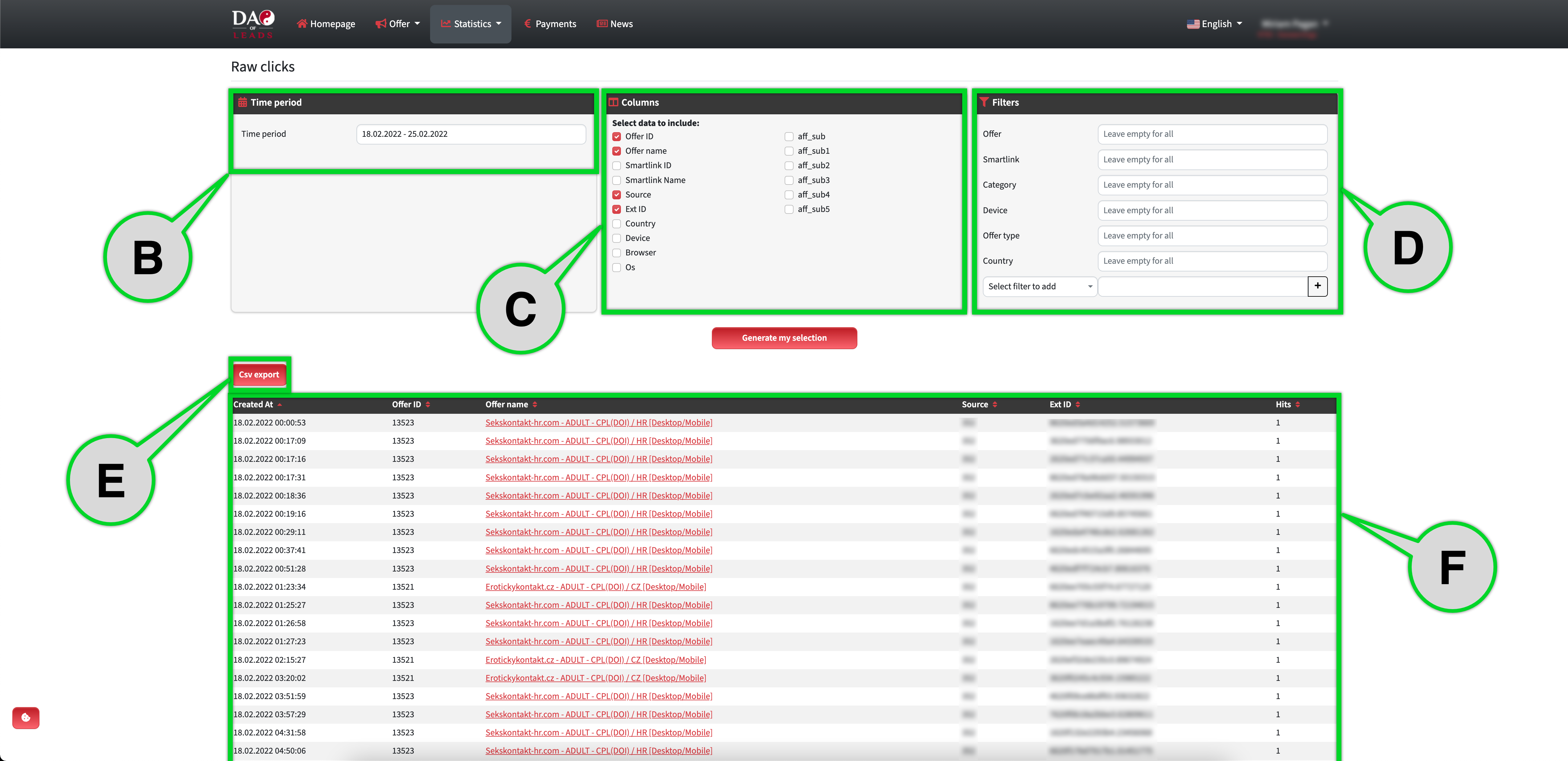
Here you can see the Raw clicks statistics. It basically shows you the timestamps of clicks for the selected period together with selected affiliate parameters.
Point A - Go to Reports → Raw Clicks
Point B - Select the time period.
Point C - Filter the select which columns(parameters) do you want to see in the statistics.
Point D - You can use all types of filters.
Point E - You can export filtered data to ".csv"
Point F - Filtered data.

⬇